Settings Overview
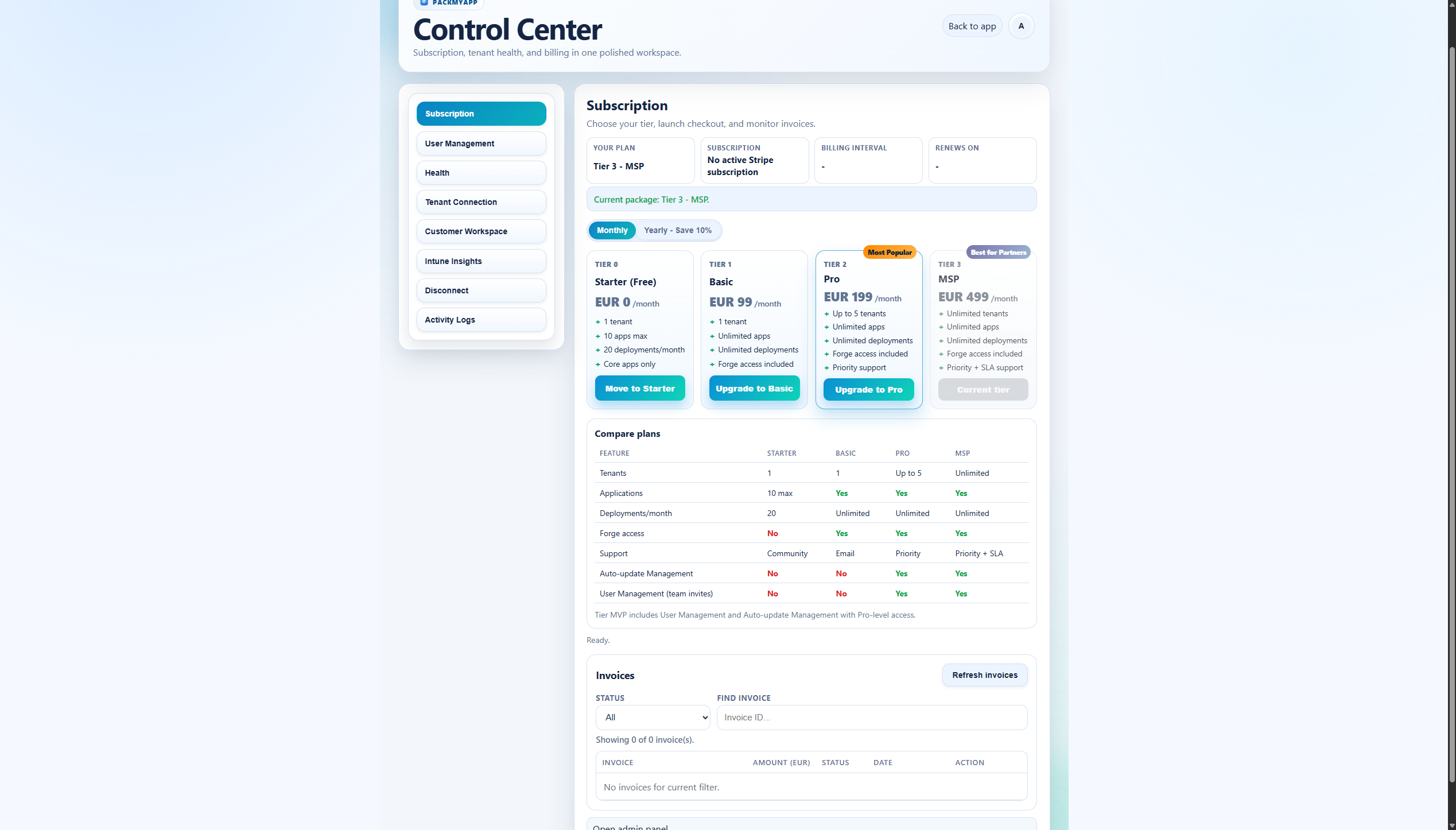
What This Page Covers
Use this page as the baseline order for checking readiness before any deploy or update action.
Prerequisites
- You are signed in.
- You can open Settings from profile menu or direct page.
Click Path
- Open
Settings. - Review pages in this order:
SubscriptionHealthTenant ConnectionCustomer WorkspaceDisconnectActivity Logs- Return to
Appafter confirming readiness.
Verification Checklist
- Plan/tier state is confirmed.
- Health check is green or understood.
- Tenant and customer context are aligned.
- Recent logs show expected behavior for your last actions.
Expected Result
- You understand current plan and health state.
- Tenant and customer context are explicit before deployment actions.
- You know whether disconnect is needed or not.
If It Fails
- If settings data looks stale, refresh and re-open the page.
- If tenant state is unclear, run
Healthand re-testTenant Connection. - If features are hidden, verify tier/subscription first.