Deployment Wizard: Full Flow
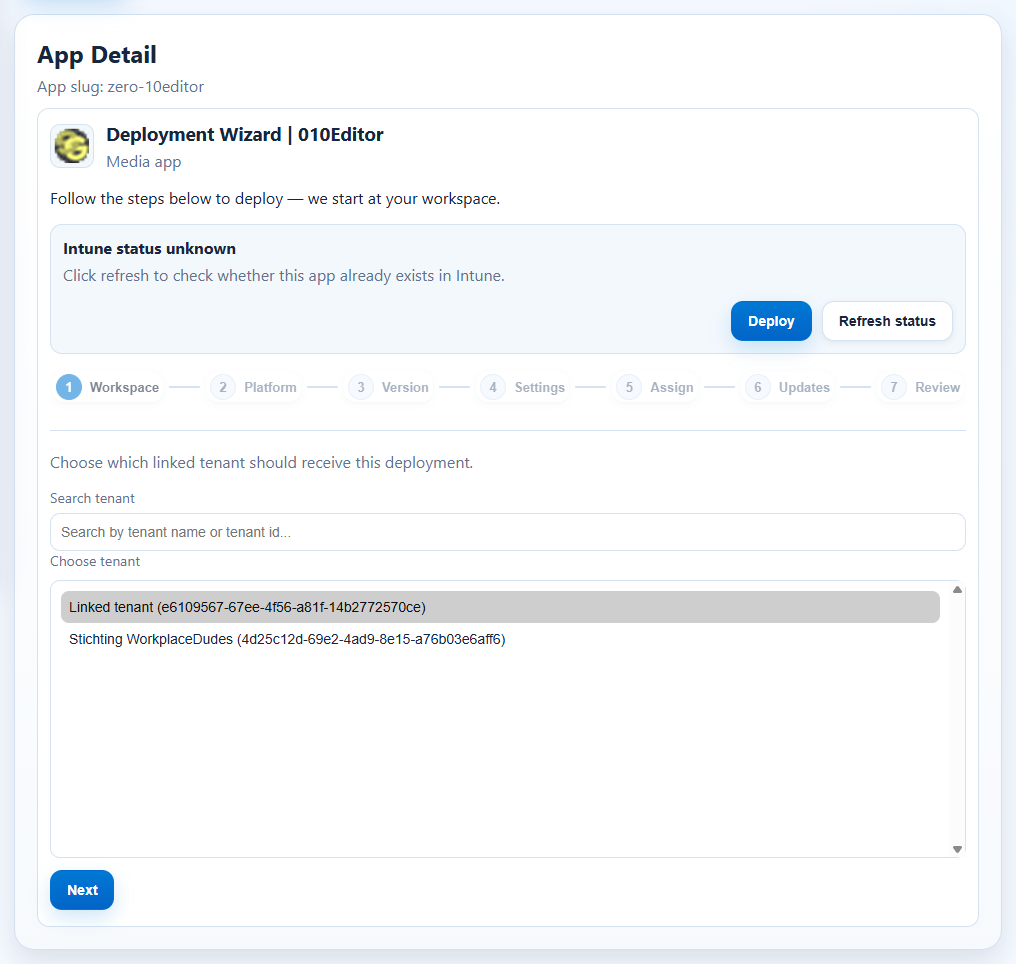
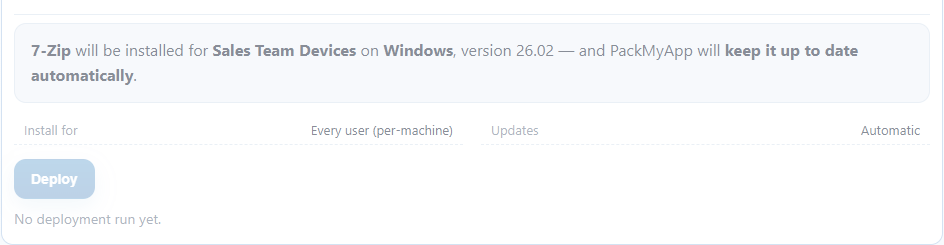
The deploy experience is a stepped wizard: one step at a time, a progress stepper on top, and a plain-language review before anything touches Intune.
Prerequisites
- Tenant connection is healthy.
- You are in the correct customer context.
- Target app is selected from the catalog (or via Discovery →
Deploy managed copy).
Click Path
- Open
Appand switch to theCatalogtab (or start fromDiscovery). - Select an app and click
Deploy. - Follow the stepper — completed steps show a green check, and you can click any completed step to go back:
Workspace— pick the tenant that should receive the deployment.Platform— Windows (Win32 · Intune) or macOS (PKG/DMG).Version— latest is recommended; the chosen version shows a greenChosenstate.Settings— how the install behaves (see below).Assign— who gets the app, including extra targets.Updates— whether PackMyApp keeps the app up to date automatically.Review— a one-sentence summary of exactly what will happen, thenDeploy.- Monitor the deploy activity log until completion.
Step 4: Settings
Every option lives on one screen — title on the left, control on the right, sensible
defaults filled in. Most teams only pick Install for and click Next.
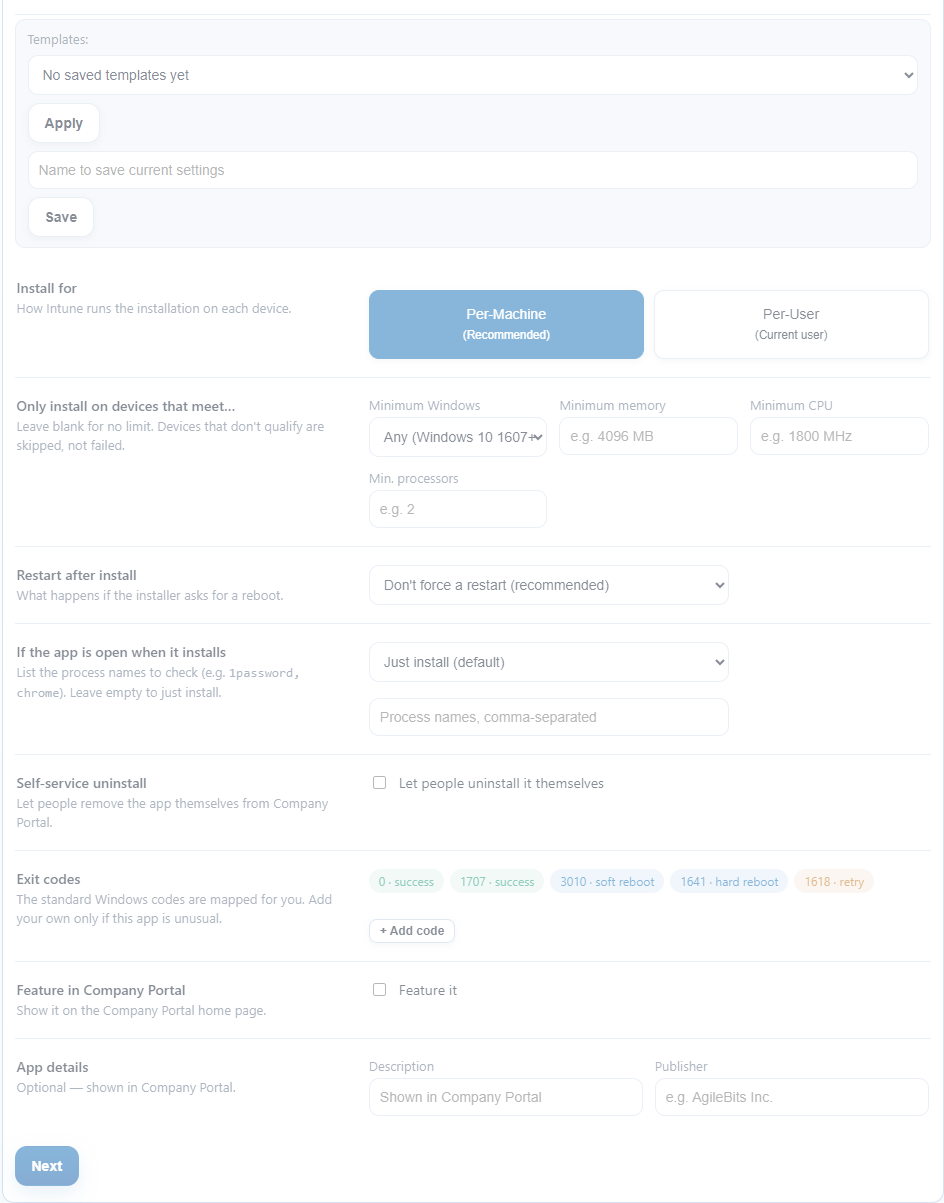
- Install for — Per-Machine (recommended, default) or Per-User.
- Only install on devices that meet… — minimum Windows version, memory, CPU, processors. Devices that don't qualify are skipped, not failed.
- Restart after install — what happens if the installer asks for a reboot.
- If the app is open when it installs — ask the person to close it (retry later), close it automatically, or wait and retry. Enforced by the generated install wrapper.

- Self-service uninstall — let people remove the app themselves from Company Portal.
- Exit codes — the standard Windows codes are mapped for you; add custom codes only for unusual installers.
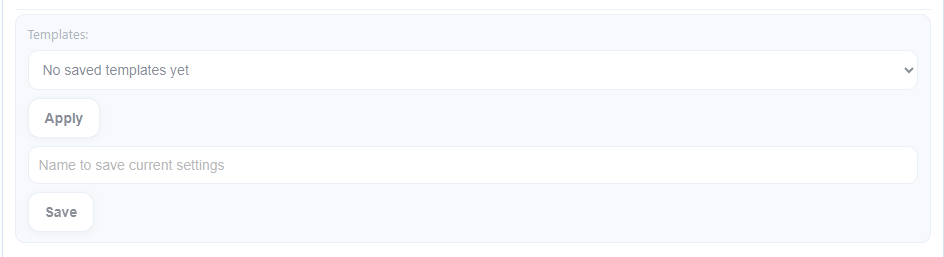
- Templates — save the current settings under a name and apply them to any future deployment in one click.
Step 5: Assign
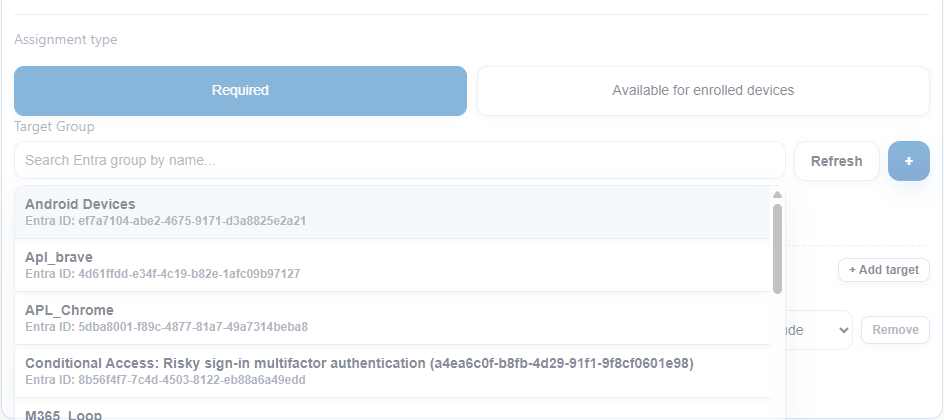
Pick the primary Entra group (or create one with +). Under More targets you can
add extra groups (include or exclude), All devices, or All users — each with its own
intent: install, available in Company Portal, or uninstall.
Step 7: Review
Before deploying you see, in plain language, exactly what will happen — app, target, platform, version, and whether auto-updates are on — plus a compact recap of the settings you changed.
Expected Result
- The deploy pipeline runs with the intended tenant, version, settings, and assignments.
- The activity log confirms completion or shows a clear failure stage.
If It Fails
- Re-check
WorkspaceandPlatformfirst. - Re-check the
Assignselection or skip-assignment intent. - Gating messages (for example a missing install scope) now appear on the step itself.
- Use
Settings > Activity Logsto identify the failing stage.