Pricing, Plans, And Capability Map
Prerequisites
- You can open the public Pricing page.
- You can sign in to open Settings when needed.
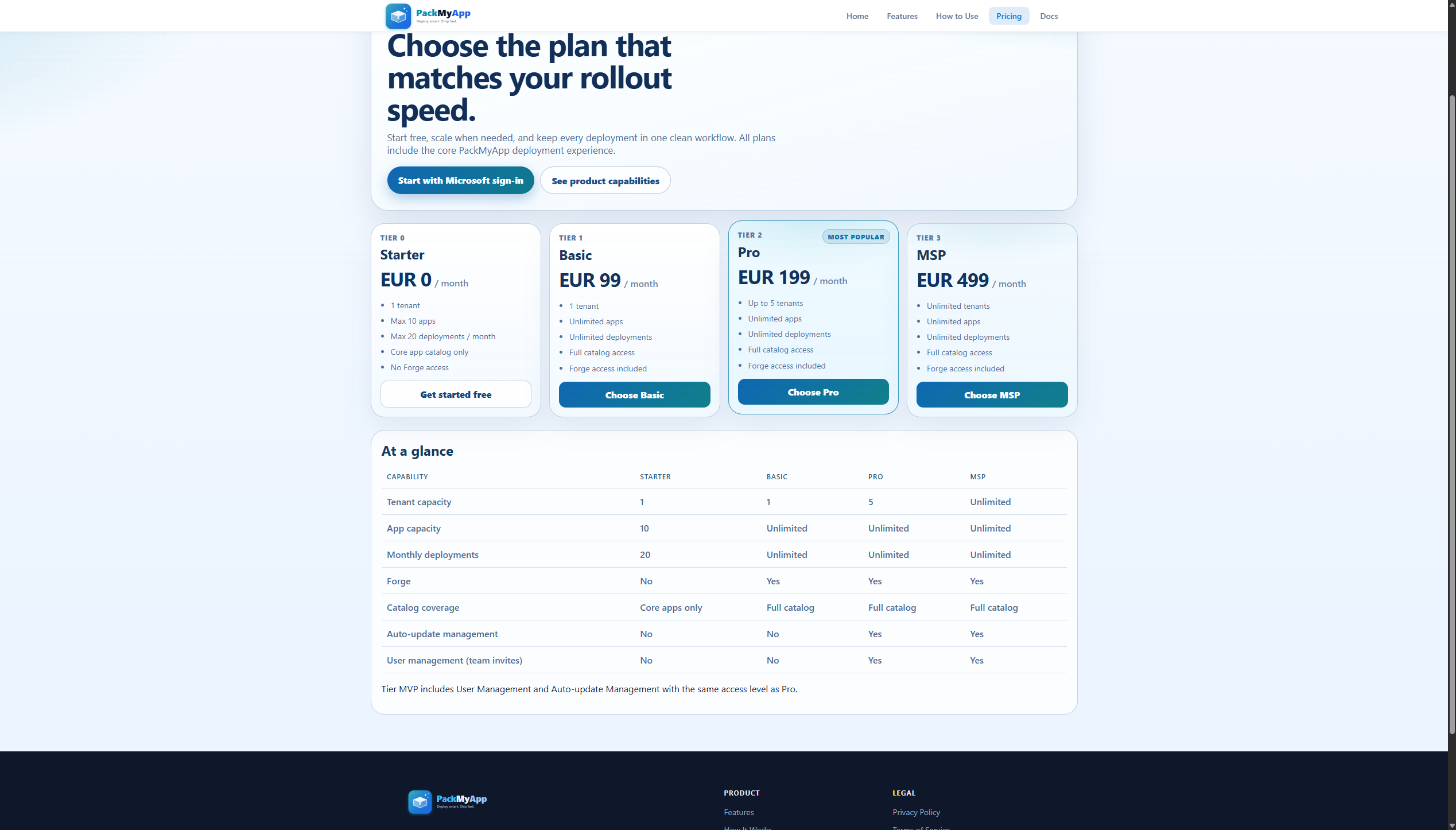
Tier Capability Overview
| Feature | Tier 0 (FREE) | Tier 1 (€99) | Tier MVP (FREE) | Tier 2 (€199) | Tier 3 (€499) |
|---|---|---|---|---|---|
| Tenants | 1 | 1 | 2 | Up to 5 | Unlimited |
| Apps in catalog | Up to 10 | Unlimited | Unlimited | Unlimited | Unlimited |
| Deployments / month | 20 max | Unlimited | Unlimited | Unlimited | Unlimited |
| Users (invites) | 1 (no invites) | 1 (no invites) | Up to 5 | Up to 5 | Unlimited |
| PackMyApp Forge | ❌ | ✅ | ✅ | ✅ | ✅ |
| Core apps only | ✅ (restricted) | ❌ | ❌ | ❌ | ❌ |
| Support | Community | Priority email | Priority + SLA | ||
| Target audience | Free evaluation | Single IT admin | MVPs / MCTs | Small team | MSP / large org |
Tier 0 deployment quota: Tier 0 is limited to 20 deployments per calendar month. The quota resets at the start of each month. When the limit is reached, deploy actions are blocked until the next reset. Upgrade to Tier 1 or above for unlimited deployments.
Click Path
- Open
Pricingpage (/pricing). - Compare tier cards and listed limits.
- Click
Sign in with Microsoft. - Open
Settingsfrom profile menu. - Click
Subscription. - Select
MonthlyorYearly - Save 10%. - Click the target tier action button and complete checkout/plan move.
Expected Result
- You understand what each tier enables and its limits.
- Your selected plan change is reflected in Settings subscription status.
If It Fails
- Click
Refresh invoicesonSubscription. - Sign out from profile menu and sign in again.
- Re-check whether expected features are included in your tier limits.
- If deploy actions are blocked on Tier 0, check whether the monthly quota (20 deployments) has been reached.